
Check the Exact Vehicle Before Ordering
This particular listing should be sold using ATOTO’s stricter compatibility guidance.
ATOTO advises verifying compatibility carefully with vehicles including:
- BMW models
- Tesla models
- Many Subaru vehicles
- Systems offering only wireless CarPlay/Android Auto
- Some aftermarket stereos
Vehicle infotainment systems vary substantially in:
- USB power
- Display resolution
- Audio routing
- Touchscreen behavior
- CarPlay implementation
- Android Auto implementation
So compatibility should be confirmed by year, make, model and factory infotainment system rather than assuming every CarPlay-equipped car behaves identically.
That five-minute check is considerably more enjoyable than debugging a dashboard at 10:30 p.m.
How the CB6 Magic AI Box Works
The basic process is straightforward.
- Locate the vehicle’s wired CarPlay or Android Auto USB port.
- Connect the CB6.
- The factory head unit recognizes the box through the existing phone-projection protocol.
- The CB6 displays its own Android interface on the factory screen.
- Pair your phone if you want wireless CarPlay or Android Auto.
The factory display remains in place.
The CB6 supplies the additional computing power.
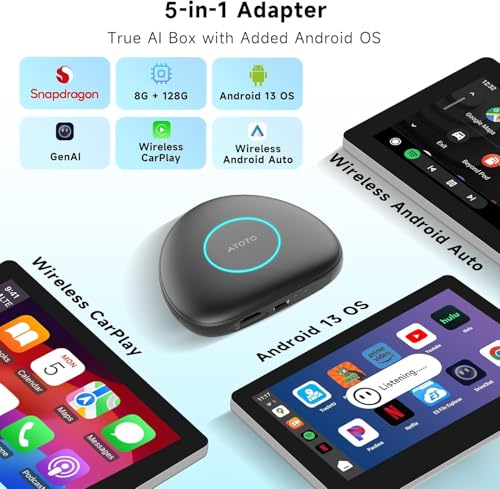
Three Upgrades in One Box
The CB6 performs three different jobs.
1. Wired-to-Wireless CarPlay Adapter
It can convert compatible wired Apple CarPlay into wireless CarPlay.
2. Wired-to-Wireless Android Auto Adapter
It can convert compatible wired Android Auto into wireless Android Auto.
3. Standalone Android AI Box
It also runs its own Android operating system.
That third function is what separates a Magic AI Box from a basic $40 wireless CarPlay dongle.
Full Android 13 Operating System
The CB6B runs Android 13.
That means supported Android applications run on the box itself rather than on the connected smartphone.
Possible applications include:
- Google Maps
- Waze
- Spotify
- YouTube
- Media applications
- Internet radio
- OBD-II applications
- Navigation tools
- Other compatible Android software
App behavior can vary depending on:
- Factory screen resolution
- Vehicle control method
- Content-provider restrictions
- Android compatibility
Video functions should only be used when parked or where otherwise legal and appropriate.
Qualcomm QCM6115 Processor
ATOTO specifies the Qualcomm QCM6115 platform for the CB6B.
It is an octa-core processor designed to provide enough performance for:
- Android apps
- Navigation
- Music streaming
- Video playback
- Wireless CarPlay
- Android Auto
- DriveChat
- OBD-II applications
- Multitasking
This places the CB6B considerably above basic low-memory wireless adapters.
8GB RAM
This version includes 8GB of RAM.
That is one of the biggest advantages of the higher-spec CB6 configuration.
Additional RAM helps when running combinations such as:
- Navigation
- Streaming
- DriveChat
- OBD data
- Background services
at the same time.
For an Android AI box, RAM matters because this is an actual operating system running applications rather than a simple CarPlay protocol converter.
128GB Internal Storage
The CB6B provides 128GB of built-in storage.
That gives users substantial space for:
- Android apps
- Offline navigation
- Downloaded media
- Music
- Application data
- Maps
For something small enough to hide near a factory USB port, 128GB is a substantial amount of local storage.
microSD Expansion
ATOTO also lists support for microSD expansion up to:
256GB
That makes it possible to carry additional:
- Music
- Videos
- Offline maps
- Local media
without filling internal storage.
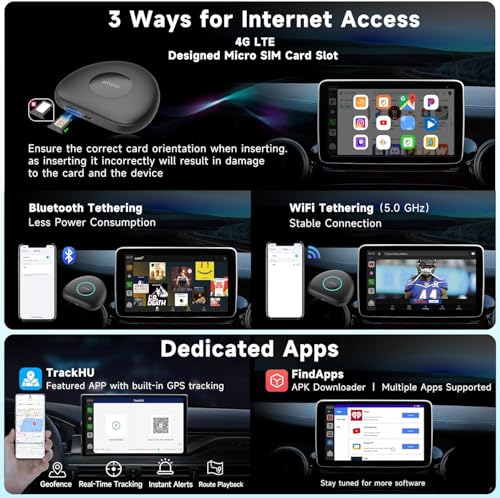
Built-In 4G LTE
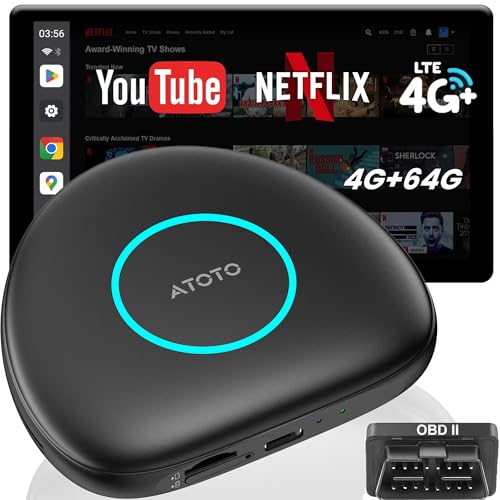
One of the CB6B’s most important features is its built-in 4G LTE modem.
With compatible service activated, the AI box can maintain its own cellular internet connection.
That means Android applications do not have to depend entirely on your phone hotspot.
Possible connected functions include:
- Google Maps
- Waze
- Spotify
- Internet radio
- DriveChat
- Cloud services
- Other Android apps
Physical and Cloud SIM Support
Current ATOTO marketing promotes both:
- Physical SIM
- Supported cloud/eSIM-style connectivity options
depending on service and configuration.
Carrier and regional compatibility should always be checked before purchasing a data plan.
Why Independent LTE Matters
A normal wireless CarPlay adapter still depends heavily on the phone.
The CB6 can operate more independently.
Its Android apps can use their own cellular connection while your phone remains:
- In your pocket
- Charging
- Connected through CarPlay
- Doing absolutely nothing useful at all
which, for the phone, is probably a welcome change.
Independent GPS
The CB6B also includes its own GPS hardware.
That means Android navigation applications can determine vehicle position without borrowing all location functionality from the smartphone.
This supports standalone applications such as:
- Google Maps
- Waze
- Other compatible navigation software
and ATOTO connected-location features where available.
Wireless Apple CarPlay
Once installed in a compatible wired-CarPlay vehicle, the CB6 can provide wireless Apple CarPlay.
That gives compatible iPhone users access to:
- Apple Maps
- Google Maps
- Waze
- Music
- Podcasts
- Calls
- Messages
- Siri
- Supported CarPlay apps
without plugging the phone in each time.
Wireless Android Auto
The same device can provide wireless Android Auto in compatible installations.
Supported Android phones can access:
- Google Maps
- Waze
- Spotify
- Calls
- Messages
- Podcasts
- Voice assistance
- Other Android Auto apps
through the factory screen.
Your Factory Screen Stays Factory
One of the CB6’s biggest advantages is what it does not require.
You do not have to remove:
- Factory radio
- Factory touchscreen
- Factory trim
- Factory amplifier
- OEM integration hardware
That can be particularly appealing in newer vehicles where replacing the infotainment system can disturb functions such as:
- Climate-control integration
- Vehicle settings
- Backup camera
- Factory audio
- Steering-wheel controls
- Driver-assistance menus
Modern dashboards have developed an unfortunate habit of making the stereo responsible for half the car.
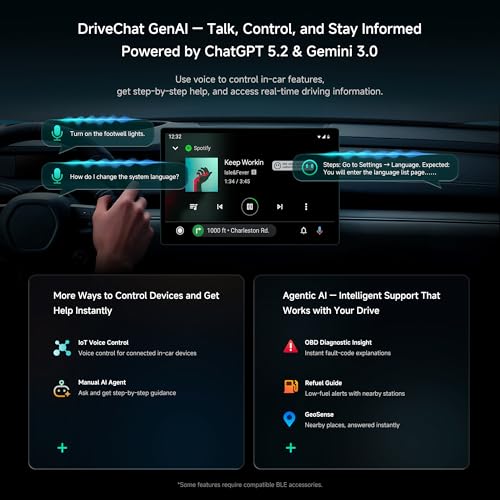
DriveChat AI
The CB6 includes ATOTO DriveChat.
DriveChat is ATOTO’s conversational AI platform for supported in-car functions.
Users can make voice requests involving:
- General questions
- Navigation
- Travel information
- Vehicle information
- Connected accessories
- Other supported functions
ATOTO continues developing the platform through software updates.
ChatGPT-Powered Without Locking the Hardware to One AI Version
ATOTO markets DriveChat as powered by ChatGPT technology.
Specific cloud-model versions can change considerably faster than automotive hardware.
So for an evergreen ProStreetOnline listing, the better description is:
DriveChat AI assistant
rather than permanently branding the CB6 as a “ChatGPT 5.5 box.”
The box is hardware.
The AI model is a service.
Those two things will not necessarily age at the same speed.
More Than 50 Smart Functions
Current marketplace material promotes dozens of DriveChat commands and supported interactions.
The actual available capabilities can evolve as ATOTO updates:
- DriveChat
- ScenePilot
- Connected services
- Accessory integrations
That means buyers should view the AI platform as upgradeable software rather than a frozen list of voice commands.
ScenePilot Software Ecosystem
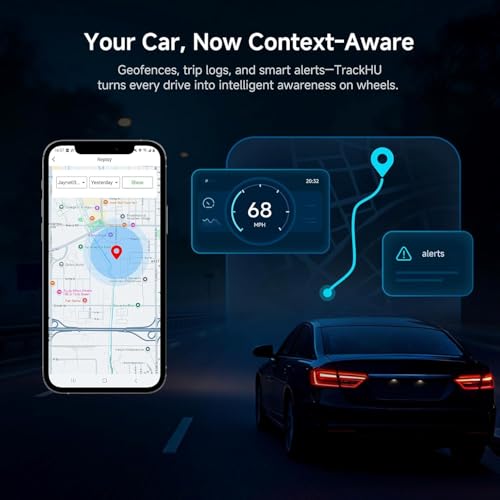
ATOTO has been consolidating many of its connected vehicle functions under its ScenePilot ecosystem.
ScenePilot links functions such as:
- AI assistance
- Vehicle data
- Connected accessories
- Navigation context
- Smart automation
across compatible ATOTO products.
The idea is to make the AI box more than a screen-mirroring adapter.
It becomes the computing layer between the factory infotainment system and the connected vehicle accessories.
Included AC-4450 OBD-II Scanner
This bundle includes ATOTO’s AC-4450 Bluetooth OBD-II scanner.
The scanner plugs into the vehicle’s OBD-II diagnostic connector.
On most vehicles built for the U.S. market since 1996, that connector is usually located somewhere under the driver’s side of the dashboard.
Once paired, compatible applications can retrieve supported OBD-II information.
Vehicle Data on the Factory Screen
Depending on the vehicle and application, OBD-II data may include:
- Engine RPM
- Coolant temperature
- Vehicle speed
- Engine load
- Fuel trims
- Sensor information
- Diagnostic trouble codes
Instead of checking that information on a small phone screen, the CB6 can display it through the vehicle’s existing infotainment screen.
DriveChat and OBD-II
The more interesting feature is combining OBD-II data with DriveChat.
Rather than presenting only:
P0171
the system can help explain that the code generally means the engine control module detected a lean condition.
That is far more approachable for someone who does not spend weekends reading service manuals.
AI Does Not Replace Diagnosis
The AI explanation should still be treated as guidance.
For example, a lean code can potentially involve:
- Vacuum leak
- Intake leak
- MAF issue
- Fuel delivery
- Injector problem
- Exhaust leak
- Wiring
- Sensor problem
The computer can explain the direction.
It cannot reach under the hood and perform a smoke test.
Yet.
Practical Next-Step Guidance
ScenePilot and DriveChat can also use available information to offer contextual guidance.
For example, depending on the data and supported services, it may help the user decide whether to:
- Continue driving cautiously
- Check a basic condition
- Find nearby service
- Stop the vehicle
- Investigate a trouble code
That can make OBD data considerably more useful to everyday drivers.
CarIoTHub
The CB6 platform also supports ATOTO’s CarIoTHub ecosystem.
CarIoTHub is designed to connect compatible Bluetooth accessories through a common interface.
Potential accessories can include:
- OBD-II scanner
- Ambient lighting
- Smart displays
- Other supported BLE hardware
This turns the CB6 into more than an Android streaming box.
It becomes a hub for connected vehicle accessories.
Dual Bluetooth
ATOTO uses a dual-Bluetooth architecture on the CB6B.
This helps separate functions such as:
- Phone connectivity
- Accessory communication
- Privacy detection
depending on system configuration.
One of the most interesting uses is automatic proximity locking.
Automatic Privacy Screen Lock
The CB6 can use the authorized phone as a proximity key for the Android interface.
When the phone leaves Bluetooth range, the system can automatically lock.
When the authorized phone returns, it can unlock again.
That helps protect:
- Google account
- Navigation history
- Streaming services
- Messages
- Application data
- Saved credentials
Useful for Valet and Service Visits
This feature becomes especially useful when handing the vehicle to:
- Valet
- Mechanic
- Detailer
- Car wash
- Friend
- Family member
A connected Android system can contain a surprising amount of personal data.
The original factory radio probably knew your favorite FM presets.
The modern one knows where you live, where you’ve been and what you watched on YouTube at 2 a.m.
Locking it is not a bad idea.
Wi-Fi Connectivity
The CB6 also supports Wi-Fi connectivity.
ATOTO lists:
- 2.4GHz
- 5GHz
network support.
That gives the Android environment another connection option when a suitable hotspot or network is available.
Wireless Projection Can Affect Wi-Fi Availability
As with many AI boxes, wireless CarPlay and Android Auto use Wi-Fi for phone projection.
This can affect how the box simultaneously uses a separate Wi-Fi hotspot.
The built-in LTE modem is therefore particularly useful because it allows Android applications to maintain internet access without depending on the same Wi-Fi radio being used for phone projection.
Special Y-Cable for Stable Power
ATOTO includes a Y-cable with applicable CB6 packages.
This is more important than it sounds.
Not every factory USB port provides enough stable current to power an Android AI box under every operating condition.
Symptoms of insufficient USB power can include:
- Random rebooting
- Freezing
- Disconnections
- Startup failure
- CarPlay dropping out
Start/Stop Systems Can Complicate USB Power
Some vehicles momentarily interrupt or reduce USB power when the engine:
- Starts
- Restarts after auto stop
- Changes accessory-power states
The included Y-cable allows the AI box to receive additional power where needed.
ATOTO itself identifies insufficient USB current as a common cause of AI-box connection problems.
So if the box repeatedly restarts, don’t immediately assume the Qualcomm processor has developed an emotional problem.
Check the power supply.
Plug-and-Play Installation
For a compatible vehicle, physical installation is simple.
You generally do not need to:
- Remove dashboard panels
- Cut factory wires
- Replace the radio
- Run a new antenna
The CB6 connects to the vehicle’s existing wired CarPlay/Android Auto USB interface.
If supplementary power is required, use the supplied Y-cable according to ATOTO’s instructions.
Why Factory Compatibility Still Varies
Even when two vehicles both advertise CarPlay, their infotainment systems may behave differently.
Manufacturers differ in:
- USB initialization
- Audio routing
- Display resolutions
- Touch input
- Startup timing
- USB current
- CarPlay protocol implementation
That is why exact vehicle compatibility matters more with AI boxes than with ordinary USB flash drives.
iPhone Compatibility
The CB6 can provide wireless CarPlay for compatible iPhones when used with an eligible wired factory system.
ATOTO marketplace documentation lists broad support across modern iOS devices.
For an evergreen product page, it is better to say:
compatible iPhones supporting CarPlay
than to hard-code an old minimum-device list that will become less useful over time.
Android Phone Compatibility
Wireless Android Auto likewise requires a compatible:
- Android phone
- Android version
- Wireless Android Auto implementation
Phone compatibility should be checked along with vehicle compatibility.
Android Apps and Entertainment
Because the CB6 runs full Android, compatible entertainment apps can run directly on the box.
Potential uses while parked include:
- YouTube
- Streaming video
- Music
- Podcasts
- Local video
- Web applications
App availability can vary because of:
- DRM
- Certification
- Regional restrictions
- Application updates
Never assume every streaming service will behave identically on every Android AI box forever.
Streaming companies enjoy changing things almost as much as automakers enjoy hiding USB ports.
Split-Screen Android Operation
The Android environment can also support compatible split-screen use.
That can allow combinations such as:
Navigation + Music
or
Maps + Vehicle Data
depending on the application and factory-display proportions.
Split-screen usefulness varies considerably with OEM screen size.
A 12-inch factory display has more room to work with than a six-inch screen designed during the first Obama administration.
Independent Navigation
Because the CB6 has:
- Android
- GPS
- 4G LTE
it can perform navigation without relying entirely on smartphone projection.
That means you can use compatible Android navigation apps directly on the AI box.
This is one of the fundamental differences between the CB6 and a basic wireless CarPlay adapter.
OTA Firmware Updates
ATOTO supports over-the-air firmware updates on current CB6 models.
Updates can improve areas such as:
- Vehicle compatibility
- Stability
- Wireless connectivity
- DriveChat
- Android functions
- Bluetooth
- Connected accessories
This is particularly important for an AI box because it must interact with infotainment systems from many different manufacturers.
12+6 Month Warranty
ATOTO currently provides:
- 12-month standard warranty
- Additional 180-day extension for eligible registered purchases
That brings available coverage to approximately:
18 months
when extension requirements are completed.
Check the current registration requirements when purchasing.
CB6B vs Basic Wireless CarPlay Adapter
A basic adapter normally does one thing:
Wired CarPlay → Wireless CarPlay
The CB6B does considerably more.
CB6B adds:
- Full Android 13
- 8GB RAM
- 128GB storage
- Qualcomm processor
- Built-in LTE
- GPS
- Android applications
- DriveChat
- OBD-II integration
- Bluetooth accessories
- Privacy lock
If all you want is to stop plugging in your iPhone, a basic adapter may be cheaper.
If you want to turn the factory display into a more capable Android platform, that is where the CB6 makes sense.
CB6B vs ATOTO CB4
The CB4 family is generally the simpler and lower-cost option.
Depending on version, CB4 models offer:
- Wireless CarPlay
- Wireless Android Auto
- DriveChat
- Android functionality
- Some OBD-II bundles
The CB6 provides a more capable platform with features such as:
- Qualcomm processing
- Larger memory configurations
- Built-in LTE on applicable models
- GPS
- More independent Android operation
The CB4 makes sense for straightforward phone projection.
The CB6 is the better fit when standalone Android is part of the reason you are buying the box.
CB6B vs CB6 4GB/64GB
ATOTO also offers lower-memory CB6 configurations.
4GB/64GB CB6:
- Lower cost
- Full Android
- LTE
- GPS
- DriveChat
- Good everyday performance
8GB/128GB CB6B:
- Twice the RAM
- Twice the internal storage
- Better multitasking headroom
- More space for apps and offline media
If you intend to use the device mostly for CarPlay, 4GB/64GB may be sufficient.
If you actually plan to use Android applications heavily, the 8GB/128GB version is easier to justify.
CB6B vs CB7 Pro
ATOTO’s newer CB7 Pro platform pushes the concept further.
The CB7 Pro adds more system-level features such as:
- Expanded ScenePilot functionality
- Advanced camera integration
- SSHub capabilities
- More comprehensive CarIoTHub integration
- Head-unit-console architecture
The CB6 remains a strong middle ground for someone primarily interested in:
- Android
- LTE
- GPS
- Wireless CarPlay
- OBD-II
- AI assistance
without moving into the more elaborate CB7 Pro ecosystem.
Who Should Buy the CB6B?
The CB6B makes the most sense if your vehicle:
- Already has wired CarPlay or Android Auto
- Has a factory screen you want to keep
- Has usable touchscreen/controller input
- Is confirmed compatible
and you want:
- Wireless CarPlay
- Wireless Android Auto
- Android apps
- Independent LTE
- GPS
- OBD-II integration
- AI assistance
- Better privacy
Who Should Skip It?
Do not buy this AI box if the vehicle:
- Has no wired CarPlay or Android Auto
- Has only basic USB audio
- Is specifically listed as incompatible
- Cannot provide usable display controls
Also consider a complete replacement head unit instead if you need:
- Better audio outputs
- DSP tuning
- New amplifier integration
- Larger screen
- Backup-camera expansion
The CB6 enhances the existing infotainment system.
It does not replace the radio’s audio hardware.
Is the ATOTO CB6B Magic AI Box Worth It?
For the right vehicle, the CB6B can make a factory infotainment system feel dramatically newer without changing the dashboard.
You get:
- Wireless Apple CarPlay
- Wireless Android Auto
- Android 13
- Qualcomm QCM6115
- Octa-core processing
- 8GB RAM
- 128GB storage
- microSD expansion
- Built-in 4G LTE
- Independent GPS
- Wi-Fi
- Dual Bluetooth
- DriveChat AI
- ScenePilot integration
- CarIoTHub
- Included AC-4450 OBD-II scanner on this bundle
- Vehicle-data access
- Automatic privacy locking
- Android applications
- Split-screen support
- OTA updates
- Supplemental Y-cable power support
The biggest limitation is compatibility.
This is not a device you should buy first and investigate later.
Confirm that your exact factory infotainment system supports the required wired CarPlay or Android Auto interface.
If it does, the CB6B gives you a surprisingly effective way to bring modern Android, wireless phone projection, independent data and vehicle diagnostics to a screen that is already built cleanly into the dashboard.
Sometimes upgrading the factory radio does not require replacing the factory radio.





There are no reviews yet.