
Wireless Android Auto – Google Maps, Waze & More
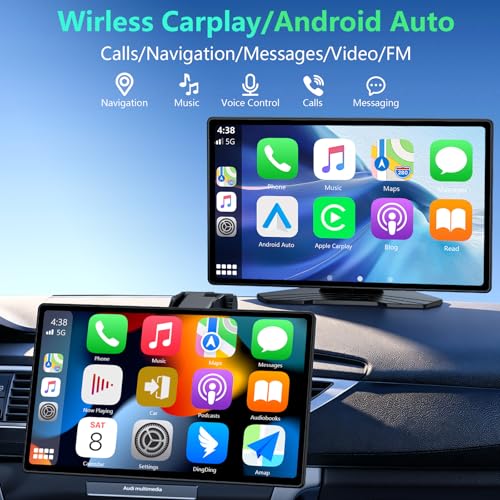
Android users can also connect compatible smartphones through wireless Android Auto.
The RQO display supports access to supported Android Auto applications, including navigation, music, and communication functions.
Google Assistant can help drivers use voice commands for compatible tasks without manually navigating multiple menus.
Wireless Android Auto requires a compatible smartphone and supported Android software.
9-Inch 1280 × 720 HD Touchscreen
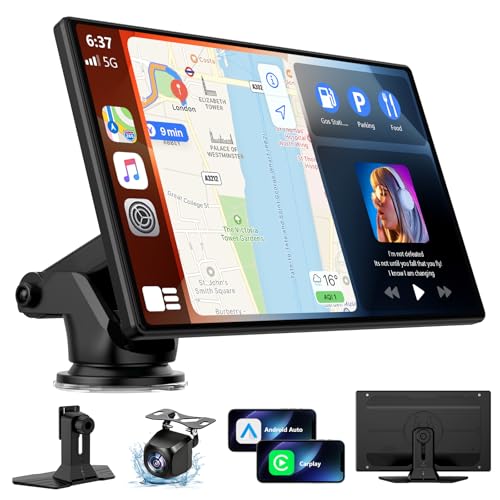
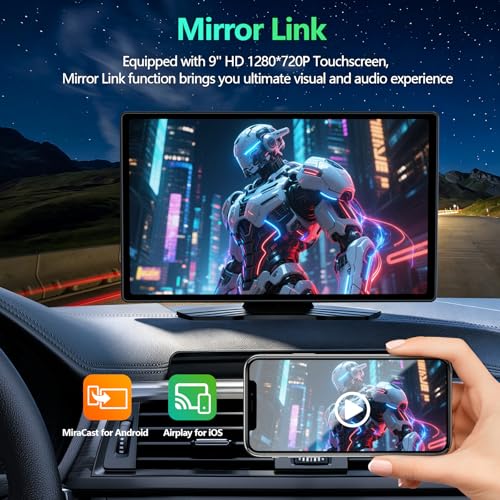
The RQO portable CarPlay screen features a 9-inch display with a native resolution of 1280 × 720 pixels.
This provides a higher pixel count than many basic portable CarPlay displays using 1024 × 600 panels.
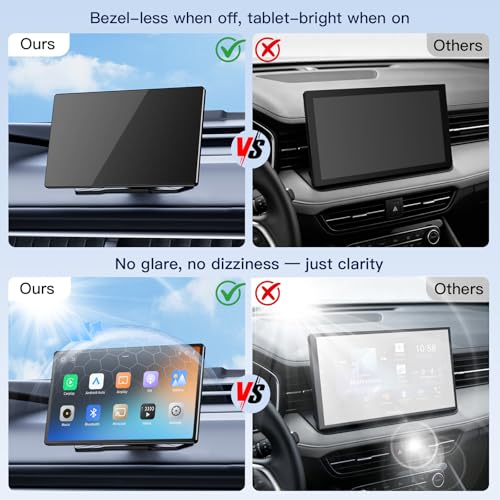
The manufacturer advertises smooth touchscreen operation and a modern, nearly bezel-free appearance when the screen is powered off.
The larger display is designed to make navigation maps, route guidance, and supported smartphone features easier to view.
The manufacturer also describes the screen as suitable for bright driving conditions, although a specific brightness rating is not provided.
OTA Firmware Updates – Keep Your CarPlay Screen Current
One of the RQO screen’s distinguishing features is its advertised over-the-air firmware update capability.
As Apple and Google release operating system updates, some aftermarket CarPlay and Android Auto displays may experience connection issues.
RQO advertises a QR-code-based firmware update process intended to help address supported compatibility and connection problems.
According to the manufacturer, users can initiate updates by scanning a QR code with a smartphone, without installing a dedicated update app.
Why OTA Updates Matter
- Help address certain smartphone connection issues
- Provide a way to install manufacturer-released firmware
- Potentially improve compatibility with supported phone software
- Reduce the need for manual firmware transfers
Important: Firmware updates are not a guarantee of compatibility with every future iOS or Android release. Update availability, supported devices, and fixes depend on the manufacturer.
Bluetooth 5.3 and Four Audio Playback Options
The RQO portable CarPlay screen provides several ways to hear navigation prompts, music, and supported phone audio.
Bluetooth Audio
Connect to a compatible Bluetooth-enabled vehicle stereo for wireless audio playback.
AUX Audio Output
Use a compatible auxiliary input to connect the display to your factory or aftermarket stereo.
FM Transmitter
Play audio through the vehicle’s FM radio using an appropriate frequency.
Built-In Speakers
The display also advertises integrated speakers for direct audio playback when a suitable external connection is unavailable.
These options make the RQO screen useful for vehicles with different factory audio configurations.
Audio compatibility note: Bluetooth audio routing depends on the capabilities of the existing stereo and the portable display.
Smartphone GPS Navigation with Voice Guidance
The RQO screen supports navigation through compatible smartphones using Apple CarPlay or Android Auto.
Supported mapping applications can provide:
- Turn-by-turn navigation
- Voice-guided directions
- Live traffic information
- Route alternatives
- Destination searches
- Estimated arrival times
Navigation information appears on the larger 9-inch display, while audio guidance can be played through a compatible vehicle audio connection or the screen’s built-in speakers.
GPS clarification: The supplied description does not establish an independent GPS receiver or standalone offline map database. Navigation relies on a connected smartphone and its supported location services.
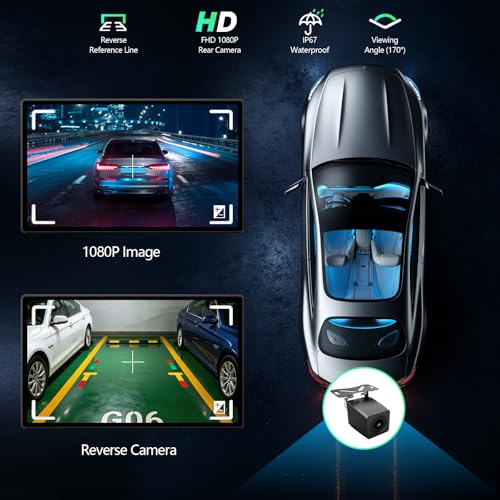
Included Adjustable Backup Camera
The RQO portable CarPlay screen is advertised with an included backup camera designed to improve rearward visibility when reversing.
The camera features an adjustable mounting angle with a stated 180-degree vertical tilt range.
This allows the camera position to be adjusted to suit different mounting locations.
An included 18-foot camera cable provides installation flexibility for many passenger vehicles.
Backup Camera Benefits
- Additional rearward visibility when parking
- Adjustable camera positioning
- Large 9-inch rearview display
- Useful for older vehicles without a factory backup camera
- Flexible installation using the included camera cable
Important: The 180-degree specification refers to the advertised camera adjustment range, not necessarily its optical viewing angle.
The supplied listing does not confirm the camera’s video resolution, waterproof rating, or automatic reverse-trigger wiring requirements.
A backup camera is a supplemental aid and does not replace mirrors or checking your surroundings.
Easy Plug-and-Play Installation
The RQO screen is designed for portable installation without replacing the original radio.
According to the manufacturer, the display operates using a compatible vehicle cigarette lighter or accessory power outlet.
General Installation Steps
- Select a suitable mounting location that does not obstruct visibility, airbags, or essential vehicle controls.
- Secure the display using the compatible mounting hardware.
- Connect the display to its intended vehicle power source.
- Turn on the screen and select Apple CarPlay or Android Auto.
- Pair your compatible smartphone through Bluetooth and Wi-Fi.
- Configure your preferred audio output.
- Install the rearview camera in a suitable location.
- Route the 18-foot camera cable safely through the vehicle.
- Connect any required camera power or reverse-trigger wiring according to the manufacturer’s instructions.
- Test navigation, audio, and camera operation before driving.
Although the touchscreen itself is designed for straightforward installation, installing the rear camera may require additional wiring and removal of interior trim.
A Practical CarPlay Upgrade for Older Vehicles
Many older cars remain excellent daily drivers but lack modern infotainment technology.
Replacing the original stereo can involve expensive dashboard kits, wiring harnesses, factory amplifier adapters, and additional installation work.
A portable CarPlay screen provides another option.
For example, owners of a first-generation Lexus IS300 can add smartphone navigation and rearview camera functionality while preserving the original dashboard stereo.
This can be especially appealing when maintaining the factory interior appearance is a priority.
If you’re planning a permanent aftermarket stereo installation instead, read our Car Audio Wiring Diagram Explained guide.
For drivers upgrading their audio systems, our How to Wire a Car Amplifier Without Noise guide covers proper grounding and signal routing fundamentals.
RQO 9-Inch Wireless CarPlay Screen Specifications
| Specification | Details |
|---|---|
| Brand | RQO |
| Product type | Portable wireless CarPlay and Android Auto display |
| Display size | 9 inches |
| Screen resolution | 1280 × 720 pixels |
| Display type | HD touchscreen |
| Apple CarPlay | Wireless |
| Android Auto | Wireless |
| Wireless connectivity | Bluetooth and Wi-Fi |
| Bluetooth version | 5.3 |
| Voice assistants | Siri and Google Assistant |
| Firmware updates | OTA updates advertised |
| Update method | Manufacturer-advertised QR-code process |
| Navigation | Smartphone-based GPS |
| Audio outputs | Bluetooth, AUX, FM transmitter, built-in speakers |
| Backup camera | Included |
| Camera adjustment | Advertised 180° vertical tilt |
| Camera cable length | 18 feet |
| Power connection | Compatible vehicle accessory outlet |
| Factory stereo replacement required | No |
| Warranty | Manufacturer-advertised 2 years |
| Support | Manufacturer-advertised 24/7 U.S. support |
Frequently Asked Questions
Does the RQO 9-inch screen support wireless Apple CarPlay?
Yes. The RQO display supports wireless Apple CarPlay with compatible iPhones.
Does it work with Android Auto?
Yes. Wireless Android Auto is supported for compatible Android smartphones.
What resolution does the screen have?
The display features a stated resolution of 1280 × 720 pixels.
Does the RQO screen support firmware updates?
Yes. The manufacturer advertises OTA firmware updates using a QR-code-based process.
Will OTA updates guarantee compatibility with future iPhones and Android phones?
No. Updates may address supported compatibility problems, but future compatibility depends on the manufacturer’s continued firmware support.
Does it include a backup camera?
Yes. The supplied product description identifies an included adjustable backup camera with an 18-foot cable.
Does the backup camera have a 180-degree viewing angle?
The supplied specification describes 180-degree vertical adjustment, not a confirmed 180-degree optical field of view.
Can I use Google Maps and Waze?
Yes, through compatible smartphones and supported Apple CarPlay or Android Auto applications.
Do I need to replace my factory stereo?
No. The RQO display is designed as a portable accessory that works alongside the original radio.
Can I play audio through my factory speakers?
Yes, where compatible, through Bluetooth, AUX, or FM transmission.
Will it work in an older vehicle?
It can be suitable for many older vehicles with compatible power and a safe mounting location. Camera installation and audio connectivity should be checked.
What warranty does RQO offer?
The manufacturer advertises a two-year warranty and 24/7 U.S. customer support. Verify the applicable warranty and return terms with the seller.
Upgrade Your Vehicle with Wireless CarPlay and Android Auto
The RQO 9-Inch Wireless Apple CarPlay and Android Auto Screen combines a sharp 1280 × 720 touchscreen, Bluetooth 5.3 connectivity, smartphone-powered navigation, OTA firmware update support, and an adjustable backup camera in one portable system.
Whether you’re modernizing an older car or adding a larger navigation display to your daily driver, the RQO screen offers a convenient way to add smartphone functionality without replacing the factory stereo.
Shop the RQO 9-Inch Wireless CarPlay Screen at Pro Street Online and explore portable car stereos, backup cameras, GPS navigation displays, and automotive electronics accessories.







There are no reviews yet.