
4K at 30FPS and 1080p at 120FPS
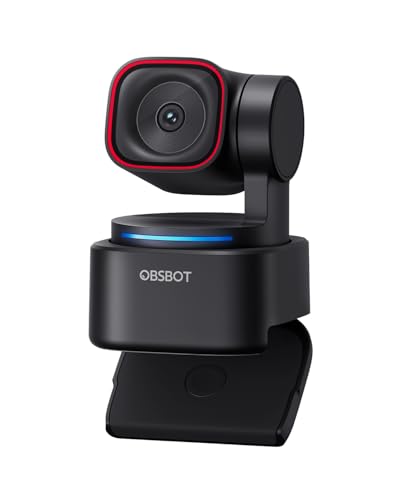
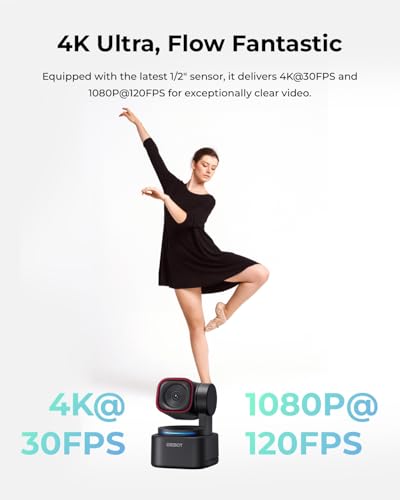
The OBSBOT Tiny 3 Lite supports two particularly useful video configurations.
4K at 30FPS provides higher-resolution footage for detailed presentations, tutorials, and professional video content.
1080p at up to 120FPS prioritizes higher frame rates for smoother motion capture in supported applications.
For automotive creators, these modes offer different advantages.
A 4K recording can provide additional detail when demonstrating small components, electrical connectors, tools, or mechanical assemblies.
Higher-frame-rate 1080p recording can be useful when capturing faster movements, provided the selected software supports that mode.
The available resolution and frame rate may vary depending on the connection, application, and camera settings.
Video performance specifications
| Feature | Advertised specification |
|---|---|
| Maximum video resolution | 4K |
| 4K frame rate | Up to 30FPS |
| Full HD frame rate | Up to 120FPS |
| Image sensor | 1/2-inch CMOS |
| Autofocus | Phase Detection Autofocus (PDAF) |
| ISO range | 100–6400 |
| HDR | Supported |
| Camera movement | Motorized PTZ |
Precision PDAF Autofocus for Clearer Video
Autofocus performance is particularly important when a subject moves toward or away from the camera.
The Tiny 3 Lite incorporates Phase Detection Autofocus, commonly abbreviated as PDAF.
This technology helps the camera adjust focus as subject distance changes.
For automotive content, this can be useful when moving between speaking to the camera and presenting smaller objects such as sensors, connectors, or replacement components.
The manufacturer also advertises intelligent focus adjustments designed to respond to different lighting conditions.
Although PDAF can improve focusing performance, it does not guarantee that every frame will remain perfectly sharp.
Adequate lighting, subject contrast, and appropriate camera positioning remain important.
AI Tracking 2.0 Automatically Follows Your Movement
The OBSBOT Tiny 3 Lite’s most distinctive feature is its AI-powered subject tracking.
Instead of requiring the user to remain centered in front of a stationary webcam, the motorized camera can adjust its position to follow supported subjects.
OBSBOT advertises AI Tracking 2.0 with the ability to recognize and track individuals, groups, and more than 200 categories of objects.
This gives the camera broader tracking functionality than basic face-following webcams.
Why AI tracking matters for automotive videos
Imagine recording a garage tutorial while moving between a workbench and an engine bay.
With a conventional webcam, you may need to stop recording, reposition the camera, and restart the demonstration.
An AI tracking webcam can reduce some of that manual camera work by following supported subjects within its field of movement.
For solo creators, this can make certain stationary tutorials and presentations easier to produce.
However, tracking performance depends on lighting, subject visibility, movement speed, camera placement, and supported recognition modes.
The Tiny 3 Lite is a webcam intended for compatible computer-based setups, not a replacement for rugged vehicle-mounted action cameras.
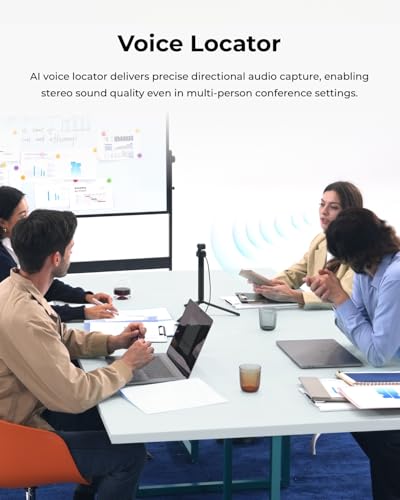
Triple-Microphone Spatial Audio System
Video quality is only part of a successful streaming setup.
Poor audio can make even a sharp 4K recording difficult to watch.
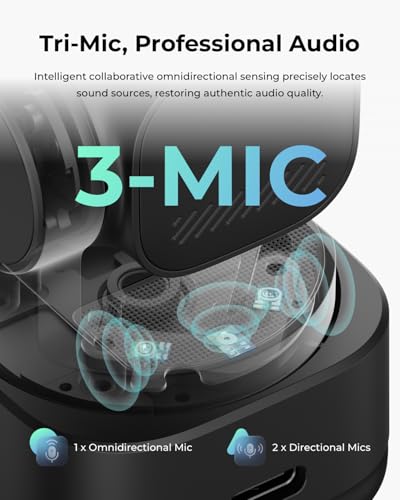
The OBSBOT Tiny 3 Lite includes a three-microphone array designed to capture speech and surrounding sound.
The manufacturer describes the system as combining one omnidirectional microphone with two directional MEMS microphones.
How the microphone array works
The omnidirectional microphone captures sound from the surrounding environment.
The two directional microphones are intended to help isolate voices and improve speech pickup.
The camera also advertises five specialized audio modes for different recording scenarios.
These modes are designed to adjust audio processing and noise reduction according to the selected application.
For automotive creators recording in garages, this may help improve speech intelligibility during quieter demonstrations.
However, loud engines, impact tools, compressors, and other workshop noises can still overwhelm built-in microphones.
For demanding automotive audio recording, a dedicated external microphone may remain the better choice.
Hands-Free Voice and Gesture Controls
The Tiny 3 Lite supports voice and gesture controls for several camera functions.
According to OBSBOT, supported commands can be used to activate tracking, adjust zoom, and switch between configured presets.
This can be particularly useful when recording alone.
For example, a creator demonstrating an automotive component may not want to stop working simply to change the camera framing.
Gesture and voice controls provide an alternative to manually adjusting settings through the computer.
The manufacturer also notes that if the gimbal behaves unexpectedly or the camera wakes and sleeps abnormally, disabling voice and gesture controls may help resolve the issue.
Intelligent Composition, Presets, and Zone Tracking
The Tiny 3 Lite includes additional AI-assisted camera functions designed to improve production flexibility.
Camera presets
Presets allow users to configure preferred camera positions and return to them more easily.
This is useful for switching between a presenter view and a workbench demonstration.
Composition lines
Adjustable composition lines can help creators position subjects consistently within the frame.
Zone tracking
Zone tracking provides additional control over how the camera responds to subjects in supported areas.
Together, these features can make the webcam more practical for structured presentations, tutorials, and live broadcasts.
OBSBOT Center Software for Advanced Camera Control
The OBSBOT Tiny 3 Lite works with the manufacturer’s OBSBOT Center software.
This application provides access to camera settings, intelligent functions, and additional video processing tools.
Advertised features include:
- Beauty Mode
- Background Blur
- Teleprompter functionality
- Exposure Gamma Curve adjustment
- Auto White Balance Offset
- NVIDIA Maxine Eye Contact integration
- RTC Remote Interaction
- VR Avatar features
Not every feature is necessarily available on every computer or software configuration.
Some advanced functions may require compatible hardware, graphics processing capabilities, software versions, or additional setup.
Before purchasing the webcam for a specific production workflow, confirm current operating-system compatibility and feature availability.
Why the OBSBOT Tiny 3 Lite Is Useful for Automotive Content Creators
Automotive content creation frequently involves working without a dedicated camera operator.
Whether you’re explaining an engine problem, demonstrating a product, or discussing automotive news, maintaining a consistent camera angle can be challenging.
The Tiny 3 Lite’s intelligent tracking and motorized movement make it especially interesting for stationary automotive video production.
Garage tutorials
The webcam can follow a presenter during supported demonstrations, reducing the need to manually reposition a fixed camera.
Automotive news and commentary
Its 4K video capability and automatic framing can help create a polished talking-head setup.
Product demonstrations
Autofocus and camera presets can be useful when presenting automotive accessories, diagnostic tools, and replacement components.
Live streaming
The camera can serve as a computer-connected video source for compatible streaming software.
Automotive podcasts
The triple-microphone system and group-tracking functionality may be useful for small discussion setups, depending on room conditions and software support.
For automotive tutorials, technical guides, and enthusiast content, visit My Pro Street Online.
OBSBOT Tiny 3 Lite vs. Traditional 4K Webcams
A conventional webcam generally relies on a fixed lens position and software-based cropping to adjust framing.
The OBSBOT Tiny 3 Lite adds motorized movement and intelligent subject tracking.
| Feature | OBSBOT Tiny 3 Lite | Typical Fixed 4K Webcam |
|---|---|---|
| Maximum resolution | 4K at 30FPS | Model-dependent |
| High-frame-rate mode | 1080p at up to 120FPS | Model-dependent |
| Motorized PTZ | Yes | Usually no |
| AI subject tracking | AI Tracking 2.0 | Varies |
| Object tracking | Advertised 200+ categories | Often limited |
| Microphone system | Triple-mic array | Varies |
| Gesture controls | Supported | Model-dependent |
| Voice commands | Supported | Model-dependent |
| Camera presets | Supported | Model-dependent |
| Advanced software control | OBSBOT Center | Manufacturer-dependent |
The Tiny 3 Lite’s main advantage is not simply its 4K resolution.
Its combination of motorized tracking, intelligent composition, and audio processing distinguishes it from many basic desktop webcams.
OBSBOT Tiny 3 Lite Technical Specifications
| Specification | Details |
|---|---|
| Brand | OBSBOT |
| Model | Tiny 3 Lite |
| Product type | AI-powered PTZ webcam |
| Image sensor | 1/2-inch CMOS |
| Maximum resolution | 4K at 30FPS |
| High-frame-rate recording | 1080p at up to 120FPS |
| Autofocus | PDAF |
| ISO range | 100–6400 |
| HDR | Supported |
| AI tracking | AI Tracking 2.0 |
| Object recognition | More than 200 advertised categories |
| Microphone array | Three microphones |
| Microphone configuration | One omnidirectional, two directional MEMS |
| Audio modes | Five advertised modes |
| Gesture control | Supported |
| Voice control | Supported |
| Camera presets | Supported |
| Zone tracking | Supported |
| Companion software | OBSBOT Center |
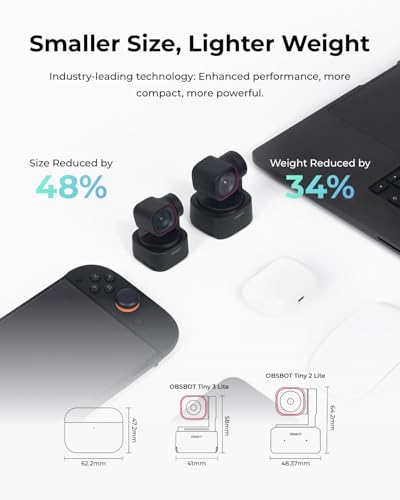
| Size reduction | 48% smaller than predecessor, manufacturer claim |
| Weight reduction | 34% lighter than predecessor, manufacturer claim |
How to Set Up the OBSBOT Tiny 3 Lite for Streaming
Step 1: Position the webcam
Place the camera on a stable, compatible mounting surface with a clear view of the intended recording area.
Step 2: Connect the camera
Connect the Tiny 3 Lite to a compatible computer using the appropriate connection specified by OBSBOT.
Step 3: Install OBSBOT Center
Download the current OBSBOT Center application from the manufacturer’s official software source.
Step 4: Configure video settings
Choose the resolution, frame rate, exposure, autofocus, and HDR settings appropriate for the recording environment.
Step 5: Configure AI tracking
Select the supported tracking mode that best matches your subject.
Step 6: Adjust microphone settings
Choose the appropriate audio mode and test speech clarity before beginning the recording.
Step 7: Configure gestures and voice commands
Enable the supported hands-free controls if they are useful for your workflow.
Step 8: Test the camera
Record a short sample and check framing, tracking behavior, focus performance, and audio quality.
For technical automotive demonstrations, confirm that small components remain visible and in focus.
Is the OBSBOT Tiny 3 Lite Worth Buying?
The OBSBOT Tiny 3 Lite offers an appealing combination of high-resolution video, intelligent subject tracking, and integrated audio processing.
Its 1/2-inch CMOS sensor, 4K at 30FPS, and 1080p at up to 120FPS provide flexibility for different recording scenarios.
AI Tracking 2.0 is particularly useful for creators who move around during presentations and want to reduce the need for manual camera adjustments.
The triple-microphone array and OBSBOT Center software further expand its capabilities beyond those of a basic webcam.
However, buyers should confirm software compatibility and understand that advanced tracking and audio processing cannot replace proper lighting, microphone placement, and thoughtful camera positioning.
Final verdict: The OBSBOT Tiny 3 Lite is worth considering for automotive YouTubers, streamers, podcasters, and solo content creators who want a compact 4K webcam with intelligent PTZ tracking and hands-free production controls.
For automotive performance components, maintenance parts, and replacement accessories, explore Pro Street Online.
Editorial note: Specifications and performance claims are based on the supplied product description. No independent hands-on testing has been performed.





There are no reviews yet.