

OBDLink CX BimmerCode Bluetooth OBD2 Adapter for BMW & MINI — iPhone, Android, Coding & Diagnostics
Unlock supported BMW and MINI coding functions from your smartphone with the OBDLink CX BimmerCode Bluetooth OBD2 Adapter.
Designed specifically for use with BimmerCode, OBDLink CX connects a compatible BMW or MINI to an iPhone, iPad or Android device using Bluetooth Low Energy. It gives enthusiasts a compact wireless interface for supported vehicle coding while also working with the included OBDLink app for everyday OBD-II diagnostics and live vehicle data.
Unlike inexpensive generic ELM327 adapters, OBDLink CX is purpose-built for reliable communication with supported BMW and MINI vehicles and is officially supported for BimmerCode applications.
Use OBDLink CX for:
- BimmerCode vehicle coding
- Supported BMW and MINI customization
- OBD-II diagnostics
- Check Engine Light code reading
- Clearing supported engine DTCs
- Live vehicle data
- iPhone and iPad connectivity
- Android connectivity
- Wireless Bluetooth diagnostics
- Long-term installed use with advanced sleep mode
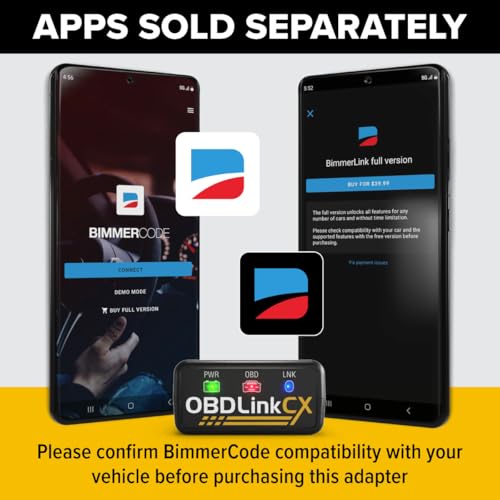
Important: The BimmerCode app is sold separately and is not included with the OBDLink CX adapter.
OBDLink CX Specifications
| Specification | Details |
|---|---|
| Brand | OBDLink |
| Model | OBDLink CX |
| Product Type | BMW/MINI coding and OBD-II adapter |
| Primary Application | BimmerCode |
| Wireless Connection | Bluetooth Low Energy |
| Bluetooth Version | Bluetooth 5.1 |
| iOS Support | Yes |
| Android Support | Yes |
| BMW Support | BimmerCode-supported vehicles |
| MINI Support | BimmerCode-supported vehicles |
| Vehicle Coding | Yes, through compatible software |
| OBD-II Diagnostics | Yes |
| Live Data | Yes |
| Read Engine DTCs | Yes |
| Clear Supported DTCs | Yes |
| Sleep Mode | Yes |
| Overvoltage Protection | Yes |
| OBDLink App | Included / available for supported devices |
| BimmerCode App | Sold separately |
$79.95
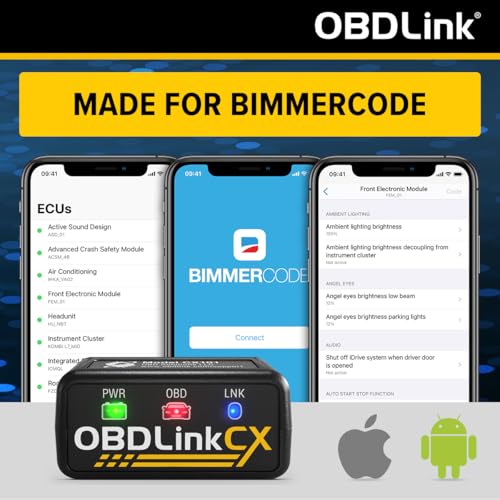
Made for BimmerCode
The biggest reason to choose OBDLink CX over a generic Bluetooth adapter is its integration with:
BimmerCode.
OBDLink states that the CX was developed specifically for BimmerCode, and BimmerCode lists OBDLink CX among its supported adapters.
BimmerCode allows owners to customize supported electronic functions in compatible:
- BMW vehicles
- MINI vehicles
- Toyota Supra models supported by BimmerCode
Available coding functions vary substantially by chassis, model year and installed control modules.
Official BimmerCode information:
What Can You Code With BimmerCode?
Available functions depend entirely on the vehicle.
Depending on your BMW or MINI, BimmerCode may provide access to settings involving:
- Lighting behavior
- Convenience functions
- Locking preferences
- Instrument-cluster settings
- Display options
- Warning settings
- Startup behavior
- Comfort functions
- Infotainment preferences
- Other supported control-module configurations
Do not assume that every advertised BimmerCode feature is available on every BMW or MINI.
Check your exact vehicle here:
BimmerCode App Is Sold Separately
This is one of the most important details on the product page.
Purchasing the:
OBDLink CX adapter
does not include a paid BimmerCode license.
The adapter provides the communication hardware.
BimmerCode provides the coding software.
Think of it as:
OBDLink CX = hardware
BimmerCode = coding application
The BimmerCode app must be obtained separately according to BimmerCode’s current pricing and licensing terms.
Works With iPhone and iOS
OBDLink CX uses Bluetooth Low Energy connectivity and is compatible with supported Apple devices.
That includes compatible:
- iPhone
- iPad
devices running supported applications.
This is an important distinction from many inexpensive generic ELM327 Bluetooth adapters, which may use classic Bluetooth implementations that do not provide straightforward iOS compatibility.
Works With Android
OBDLink CX also supports compatible Android smartphones and tablets.
This gives BMW and MINI owners the flexibility to use the same adapter across the two major mobile platforms.
Always verify current operating-system requirements for the application you intend to use.
Bluetooth 5.1 Connectivity
The OBDLink CX uses:
Bluetooth 5.1
for wireless communication.
The value of a quality diagnostic adapter isn’t simply the Bluetooth version printed on the box.
Reliable ECU communication matters when performing vehicle coding.
A stable connection helps reduce:
- Communication errors
- Dropped packets
- Interrupted coding sessions
- Failed module communication
That becomes considerably more important when changing ECU configuration than when simply reading a Check Engine Light code.
Designed for Reliable BMW Coding
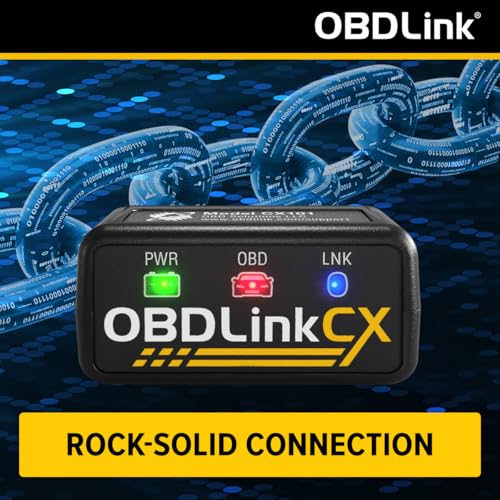
The supplied product information emphasizes OBDLink CX’s reliable data connection during BimmerCode operation.
That’s an important advantage.
When coding a control module, you do not want the adapter randomly disconnecting halfway through the process.
However, we would avoid an absolute claim such as:
“won’t brick your ECU.”
No responsible diagnostic-tool listing should guarantee that ECU configuration can never go wrong.
Coding risk can also depend on:
- Vehicle battery voltage
- Phone battery level
- App behavior
- User selections
- Control-module condition
- Interrupted communication
Use a properly maintained vehicle battery and follow BimmerCode’s instructions whenever coding.
Advanced Sleep Mode
OBDLink CX includes an advanced low-power sleep function.
This is particularly useful because many BMW and MINI owners prefer to leave their adapter installed.
Instead of remaining fully active indefinitely, the adapter can enter a low-power state when the vehicle is not being used.
OBDLink specifically designs its adapters with battery-saving behavior for installed operation.
Can You Leave OBDLink CX Plugged In?
OBDLink CX is specifically designed with:
- Advanced sleep mode
- Low-power operation
- Battery-drain protection features
for users who want to leave the adapter connected.
That distinguishes it from many generic OBD-II dongles where long-term installation is not recommended.
Even so, if a vehicle will be stored for an extended period, monitoring battery condition remains good practice.
Overvoltage Protection
The OBDLink CX also includes:
overvoltage protection.
Automotive electrical systems can experience voltage fluctuations and electrical noise.
Built-in protection helps make the adapter more suitable for regular automotive use than an inexpensive generic diagnostic dongle with undocumented protection circuitry.
OBDLink App Included
You don’t have to use OBDLink CX exclusively for coding.
The adapter can also work with the:
OBDLink app
for conventional OBD-II diagnostic functions.
That gives the adapter two distinct roles:
BimmerCode
For supported BMW/MINI coding and customization.
OBDLink App
For supported OBD-II diagnostics and vehicle monitoring.
Official OBDLink information:
https://www.obdlink.com/products/obdlink-cx/
Read Check Engine Light Codes
Using compatible diagnostic software, OBDLink CX can retrieve standard OBD-II engine trouble codes.
Common examples include:
- P0171 — System too lean
- P0300 — Random/multiple cylinder misfire
- P0301–P0306 — Cylinder-specific misfires
- P0420 — Catalyst efficiency below threshold
- P0440-series — EVAP faults
- P0507 — Idle speed higher than expected
Once you’ve retrieved a code, use the Pro Street DTC Doctor:
https://my.prostreetonline.com/dtc-obdii/
Or browse our complete P-Code library:
https://my.prostreetonline.com/dtc-doctor/p-code-obd-ii-codes/
Clear Supported Check Engine Codes
The OBDLink diagnostic ecosystem can also clear supported generic OBD-II engine codes.
That may turn off the:
Check Engine Light / MIL
after a successful repair.
Remember:
Clearing a code does not repair the fault.
If the problem remains, the ECU can detect it again and restore the warning light.
Live Vehicle Data
Using compatible software, OBDLink CX can display supported real-time OBD-II parameters.
Depending on the vehicle, these may include:
- Engine RPM
- Vehicle speed
- Coolant temperature
- Engine load
- Throttle position
- Fuel trim
- Oxygen sensor data
- Intake air temperature
- Manifold pressure
- Mass airflow
- Control-module voltage
Available data depends on the vehicle and software.
Monitor Your BMW From Your Phone
The combination of a wireless adapter and smartphone makes OBDLink CX useful even when you aren’t changing vehicle coding.
It can serve as a compact diagnostic interface for:
- Check Engine Light troubleshooting
- Live engine monitoring
- Vehicle health checks
- Data logging
- Basic emissions diagnostics
That makes it more versatile than an adapter that only works inside a coding application.
BMW OBD2 Scanner and Coding Adapter
It’s important to distinguish between:
diagnostics
and:
coding.
Diagnostics involves retrieving information such as:
- Trouble codes
- Sensor values
- Live data
- ECU status
Coding changes supported configuration values inside control modules.
OBDLink CX can provide the communication interface for both purposes when used with appropriate software.
Coding Is Not the Same as ECU Tuning
BimmerCode coding should also not be confused with:
engine ECU tuning.
Coding typically changes supported configuration options and vehicle behavior.
Performance tuning can involve changing:
- Fuel mapping
- Ignition timing
- Boost targets
- Torque limits
Those are different processes.
Do not market OBDLink CX as an engine performance tuner.
Coding Is Not Programming
Similarly, coding should not automatically be treated as full:
ECU programming or flashing.
BimmerCode primarily focuses on supported vehicle configuration.
Replacing or programming modules can require different software, hardware and procedures.
Check BimmerCode Vehicle Compatibility First
Before purchasing the OBDLink CX specifically for coding, verify your exact vehicle with BimmerCode.
Use:
Check:
- Year
- Model
- Chassis
- Available control units
- Supported coding functions
This prevents buying the adapter expecting a feature that your particular control module does not support.
BMW Compatibility
OBDLink CX is designed for BimmerCode-supported BMW applications.
Potential applications span numerous BMW chassis and model families.
However, BMW electronics vary dramatically across generations.
A feature available on a newer G-chassis BMW may not exist on an older E- or F-chassis vehicle.
Always verify the specific car rather than relying on the BMW badge alone.
MINI Compatibility
The same applies to MINI.
BimmerCode supports numerous compatible MINI models, but:
- Available ECUs
- Coding functions
- Feature names
- Vehicle architecture
vary by generation.
Check your exact MINI through BimmerCode before purchase.
Toyota GR Supra Compatibility
Because the modern Toyota GR Supra shares substantial electronic architecture with BMW, BimmerCode also supports selected Supra applications.
If purchasing OBDLink CX for a Supra, verify your exact model and available coding functions through:
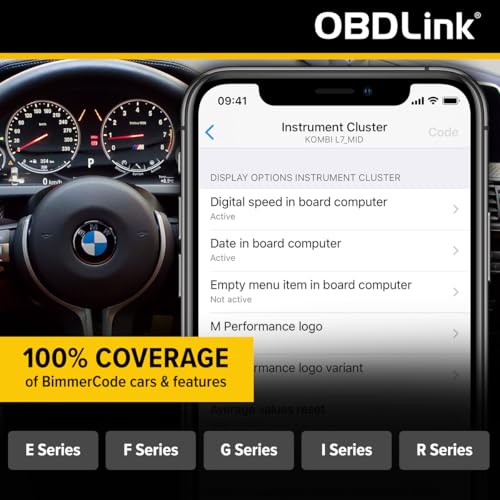
What Does “100% BimmerCode Coverage” Mean?
The supplied product description says OBDLink CX provides:
100% coverage of vehicles, protocols and advanced features supported by BimmerCode.
That should not be interpreted as:
100% coverage of every BMW and MINI ever produced.
It means the adapter is designed to support the vehicle communication requirements that BimmerCode itself supports.
Your actual feature set still depends on:
- Vehicle
- Chassis
- Model year
- Control modules
- BimmerCode software
OBDLink CX vs Generic ELM327 Adapter
Generic ELM327 Adapter
Typically designed for:
- Generic engine DTCs
- Basic live data
- Emissions information
- Low-cost OBD-II access
OBDLink CX
Designed around:
- BMW/MINI BimmerCode compatibility
- Reliable ECU communication
- iOS support
- Android support
- Low-power sleep mode
- Overvoltage protection
- OBDLink diagnostic software
For a BMW owner who specifically wants BimmerCode, the CX is a much more targeted product.
OBDLink CX vs FIXD
FIXD focuses heavily on:
- Easy Check Engine diagnosis
- Plain-language code explanations
- Maintenance reminders
- Consumer vehicle health
OBDLink CX is more enthusiast-focused.
Its major advantage is:
BimmerCode integration and BMW/MINI coding.
These products serve different search intent and different buyers.
OBDLink CX vs TOPDON CarPal
TOPDON CarPal is aimed at broader multi-brand:
- Full-system diagnostics
- Maintenance resets
- Vehicle health scanning
OBDLink CX has a much more specialized purpose:
BMW/MINI coding through BimmerCode plus OBD-II diagnostics.
If you own a BMW and want to customize supported vehicle settings, CX is the more focused solution.
OBDLink CX vs Professional BMW Scan Tool
OBDLink CX plus BimmerCode can be extremely useful for enthusiast coding, but it does not automatically replace professional BMW diagnostic systems.
Advanced tools may be needed for:
- Bidirectional diagnostics
- Module replacement
- ECU programming
- Key/immobilizer functions
- Advanced service procedures
- Factory-level diagnostics
Choose the tool based on what you actually need to accomplish.
Protect Battery Voltage While Coding
One of the most important considerations during ECU coding is:
stable vehicle voltage.
Avoid beginning a coding session with a weak battery.
For longer or more involved procedures, use an appropriate battery support device when recommended by the vehicle or software procedure.
Also make sure:
- Phone battery is adequately charged
- Bluetooth remains enabled
- The app stays active
- The adapter remains securely connected
- The vehicle remains in the required ignition state
Do not intentionally interrupt communication during a coding session.
Don’t Remove the Adapter During Coding
Once a coding operation begins:
do not unplug OBDLink CX until the application indicates the process is complete.
Likewise, avoid:
- Closing the app
- Turning Bluetooth off
- Switching the ignition off unexpectedly
- Allowing the phone battery to die
Follow BimmerCode’s current instructions.
Useful for BMW Enthusiasts
OBDLink CX is particularly well suited for:
- BMW enthusiasts
- MINI enthusiasts
- GR Supra owners using supported BimmerCode features
- DIY coders
- Multi-BMW households
- Owners who want smartphone diagnostics
- Drivers who want a high-quality wireless OBD interface
Who Should Buy OBDLink CX?
Buy OBDLink CX if your primary goals include:
- Using BimmerCode
- Coding supported BMW settings
- Coding supported MINI settings
- Using iPhone for BMW diagnostics
- Using Android for BMW diagnostics
- Reading generic engine DTCs
- Monitoring OBD-II live data
- Keeping a quality Bluetooth adapter installed in the vehicle
Who Should Buy Something Else?
Consider another diagnostic platform if you primarily need:
- Professional bidirectional controls
- Key programming
- ECU flashing
- Module replacement programming
- Advanced ABS/SRS service
- Multi-brand shop diagnostics
OBDLink CX is optimized for a specific job:
reliable BMW/MINI smartphone coding and OBD-II communication.
Shop Automotive Diagnostic Tools
Find additional automotive diagnostic equipment, vehicle electronics and repair products at:
Pro Street OBD-II Diagnostic Resources
After OBDLink retrieves an engine DTC, continue your diagnosis with Pro Street.
DTC Doctor
https://my.prostreetonline.com/dtc-obdii/
P-Code OBD-II Library
https://my.prostreetonline.com/dtc-doctor/p-code-obd-ii-codes/
OBD-II Diagnostic Articles
https://my.prostreetonline.com/category/dtc-obdii/
Most Common OBD2 Codes Explained
https://my.prostreetonline.com/2026/07/16/most-common-obd2-codes-explained/
Official OBDLink & BimmerCode Resources
OBDLink CX
https://www.obdlink.com/products/obdlink-cx/
BimmerCode
BimmerCode Supported Vehicles
Final Take
The OBDLink CX BimmerCode Bluetooth OBD2 Adapter is not another generic Bluetooth code reader.
Its biggest advantage is specialization.
It is designed for BMW and MINI enthusiasts who want a dependable wireless interface for:
BimmerCode vehicle coding
while retaining useful everyday OBD-II capabilities such as:
reading engine codes
clearing supported DTCs
monitoring live data
and:
smartphone-based diagnostics.
Bluetooth Low Energy support makes it suitable for both iPhone and Android, while advanced sleep behavior and overvoltage protection make it much better suited to remaining installed than many inexpensive generic adapters.
Just remember the most important purchasing detail:
BimmerCode is not included.
You’re purchasing the OBDLink CX hardware adapter.
The BimmerCode application is a separate product.
For BMW or MINI owners specifically interested in BimmerCode, that specialization is precisely what makes the OBDLink CX worth considering over a cheap generic ELM327 dongle.
And when your BMW throws a standard engine P-code instead of simply asking to have another convenience feature coded, continue the diagnosis with Pro Street:
https://my.prostreetonline.com/dtc-obdii/
Specification: OBDLink CX BimmerCode Bluetooth OBD2 Adapter for BMW & MINI — iPhone, Android, Coding & Diagnostics
|
User Reviews
Be the first to review “OBDLink CX BimmerCode Bluetooth OBD2 Adapter for BMW & MINI — iPhone, Android, Coding & Diagnostics”
You must be logged in to post a review.






There are no reviews yet.