
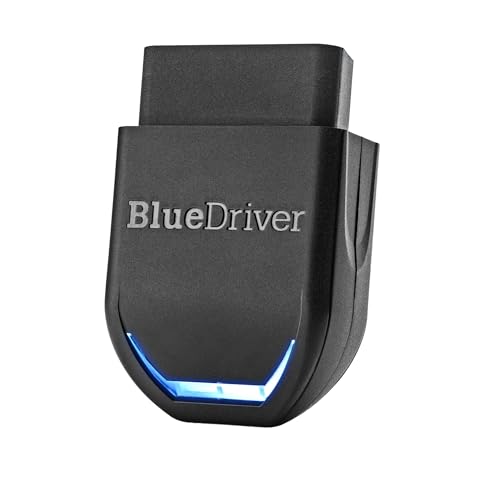
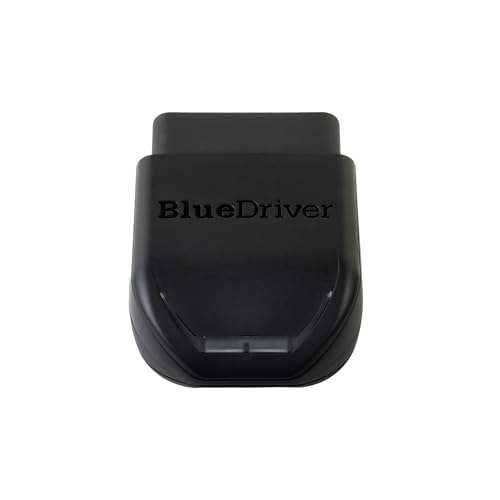
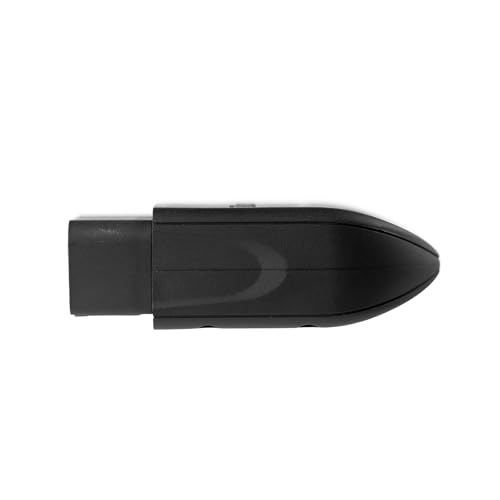
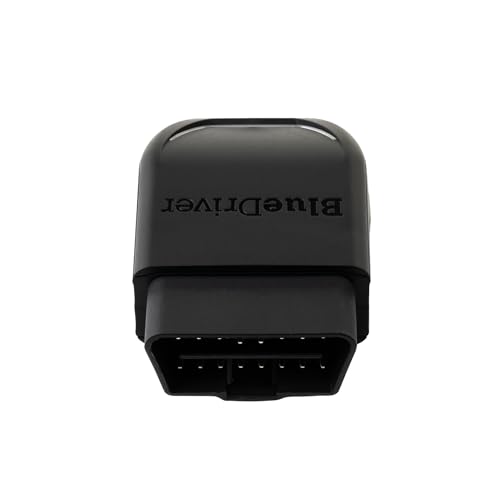
BlueDriver Pro Next-Gen Bluetooth OBD2 Scanner — ABS, SRS, TPMS & Enhanced Diagnostics
Get more diagnostic information than a basic Bluetooth code reader with the BlueDriver Pro Next-Gen Bluetooth OBD2 Scanner.
BlueDriver combines a compact wireless OBD-II adapter with its dedicated iPhone and Android app to provide standard engine diagnostics plus enhanced vehicle-system access on supported vehicles.
Depending on the vehicle, BlueDriver can read and clear codes involving systems such as:
- Check Engine / powertrain
- ABS
- SRS / airbag
- Transmission
- TPMS
- Additional supported vehicle modules
It also provides:
- Live data
- Freeze-frame data
- I/M readiness
- Smog-check preparation
- Mode 6 test results
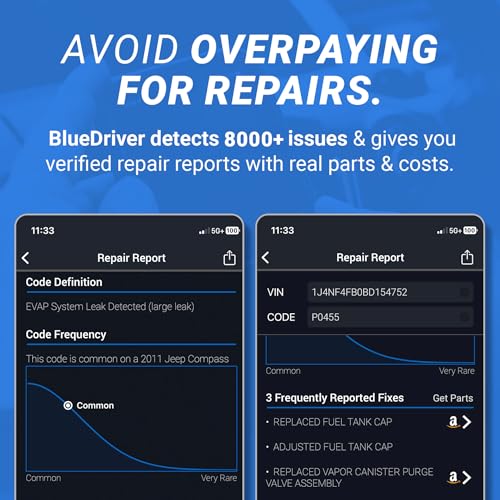
- Vehicle-specific Repair Reports
- Confirmed fixes
- Possible causes
- Diagnostic code definitions
And unlike many app-based diagnostic products:
BlueDriver does not require a subscription or paid diagnostic add-ons to unlock its advertised features.
BlueDriver Pro Next-Gen Key Features
| Feature | BlueDriver Pro Next-Gen |
|---|---|
| Standard OBD-II Diagnostics | Yes |
| Read Engine Codes | Yes |
| Clear Supported Codes | Yes |
| Enhanced Diagnostics | Supported vehicles |
| ABS Codes | Supported vehicles |
| SRS / Airbag Codes | Supported vehicles |
| Transmission Codes | Supported vehicles |
| TPMS Diagnostics | Supported vehicles |
| Live Data | Yes |
| Freeze Frame | Yes |
| Mode 6 | Yes |
| I/M Readiness | Yes |
| Repair Reports | Yes |
| Confirmed Fix Information | Yes |
| iPhone / iPad | Yes |
| Android | Yes |
| Bluetooth | Yes |
| Subscription Required | No |
| Paid Diagnostic Add-Ons | No |
| App Account | Required during current setup |
| Software/App Updates | Included |
| Vehicle Coverage | Verify exact vehicle/system before purchase |
Original price was: $129.95.$94.95Current price is: $94.95.
More Than a Basic Check Engine Scanner
Cheap OBD-II adapters are generally designed around standardized engine and emissions diagnostics.
BlueDriver goes further.
Its Enhanced Diagnostics can access additional manufacturer-specific information on supported vehicles.
This can include systems such as:
ABS
SRS / airbag
transmission
and:
TPMS.
That makes BlueDriver particularly attractive to DIY mechanics who want more information than a $20 generic Bluetooth adapter provides without moving all the way to an expensive professional diagnostic tablet.
Read and Clear Check Engine Codes
BlueDriver can retrieve supported OBD-II trouble codes including common faults such as:
- P0171 — System Too Lean
- P0300 — Random/Multiple Cylinder Misfire
- P0301–P0308 — Cylinder-Specific Misfire
- P0420 — Catalyst Efficiency Below Threshold
- P0440-series — EVAP faults
- P0507 — Idle Speed Higher Than Expected
- P0700 — Transmission Control System Malfunction notification
After retrieving a code, continue troubleshooting with the Pro Street DTC Doctor:
https://my.prostreetonline.com/dtc-obdii/
Complete P-Code library:
https://my.prostreetonline.com/dtc-doctor/p-code-obd-ii-codes/
Clear Supported Trouble Codes
BlueDriver can clear supported trouble codes after diagnosis and repair.
That may also turn off the corresponding warning lamp when the underlying problem has been corrected.
Remember:
Clearing a code does not fix the vehicle.
If the ECU detects the same problem again, the code and warning light can return.
The proper process is:
- Scan the vehicle.
- Record the trouble codes.
- Review freeze-frame information.
- Examine relevant live data.
- Diagnose the fault.
- Complete the repair.
- Clear the supported code.
- Drive and scan again.
Enhanced Diagnostics
The strongest reason to choose BlueDriver over a basic Bluetooth adapter is:
Enhanced Diagnostics.
Standard OBD-II requires vehicles to provide basic emissions-related diagnostic information.
Manufacturers can have many additional modules and manufacturer-specific DTCs outside that generic layer.
BlueDriver’s enhanced coverage can reach additional supported systems.
ABS Diagnostics
On supported vehicles, BlueDriver can retrieve and clear:
ABS trouble codes.
That can help diagnose faults involving systems such as:
- Wheel-speed sensors
- ABS module faults
- Hydraulic-system related DTCs
- Brake-related electrical faults
Exact ABS coverage depends on the vehicle.
SRS and Airbag Diagnostics
BlueDriver also provides enhanced:
SRS / airbag code access
on supported applications.
This can be useful when diagnosing an illuminated airbag warning lamp.
SRS systems contain pyrotechnic devices and should always be serviced according to the manufacturer’s safety procedures.
Transmission Diagnostics
Supported vehicles can provide enhanced:
transmission diagnostic codes.
This can be a major advantage over a generic OBD-II scanner.
A basic scanner may retrieve:
P0700
which tells you that the transmission controller has requested the Check Engine Light.
It may not reveal the underlying transmission fault.
Enhanced TCM access can potentially retrieve the more useful manufacturer-specific code.
For P0700 diagnosis:
https://my.prostreetonline.com/dtc-doctor/p0700-code-transmission-control-system-malfunction/
TPMS Diagnostics
BlueDriver advertises enhanced TPMS diagnostics on supported vehicles.
This may provide access to:
- TPMS DTCs
- Supported tire-pressure information
- TPMS system faults
However:
TPMS diagnostics should not be confused with TPMS sensor programming.
Do not market BlueDriver as a universal TPMS sensor programmer or cloning tool.
Vehicle Coverage Matters
Enhanced diagnostics are not identical across every vehicle.
BlueDriver currently provides enhanced coverage across many popular manufacturers, including applications from:
- General Motors
- Ford
- Chrysler / Dodge / Jeep / Ram
- Toyota / Lexus / Scion
- Honda / Acura
- Nissan / Infiniti
- Mazda
- Subaru
- Mitsubishi
- Hyundai / Kia
- Mercedes-Benz
- BMW / MINI
- Volkswagen Group
Exact:
year + make + model + engine + system
coverage should be verified before purchasing specifically for ABS, SRS, TPMS, transmission or another enhanced module.
Use BlueDriver’s current compatibility checker:
https://us.bluedriver.com/pages/bluedriver-pro-compatibility
Newer Vehicle Support
The Pro Next-Gen model is designed to improve support for newer vehicle communication systems.
BlueDriver specifically markets the Next-Gen scanner toward newer North American vehicles and expanded module access.
That makes it the better version to target for buyers with newer vehicles rather than assuming the original BlueDriver Pro and Pro Next-Gen are identical.
1996+ North American Vehicle Compatibility
BlueDriver states that the Pro Next-Gen works with:
1996 and newer cars, SUVs and light trucks sold in North America
and includes most compatible:
- Gasoline vehicles
- Diesel vehicles
- Hybrid vehicles
Generic OBD-II compatibility does not guarantee that every enhanced system is available.
Always verify advanced coverage separately.
Diesel and Light-Duty Truck Compatibility
The seller specifically calls out selected trucks including:
- Ford F-250
- Ram 2500
- Chevrolet Silverado
- GMC Sierra
However, diesel and heavy-duty diagnostic coverage can vary substantially by:
- Model year
- Engine
- GVWR
- Diagnostic architecture
Do not assume every diesel or heavy-duty truck is supported simply because it has a diagnostic connector.
Use BlueDriver’s compatibility checker for the exact truck.
Repair Reports
One of BlueDriver’s strongest consumer-focused features is:
Repair Reports.
When BlueDriver retrieves a DTC, the app can generate vehicle-specific information including:
- Code definition
- Possible causes
- Reported fixes
- Repair information
BlueDriver states that its Repair Reports are built using a database containing millions of reported repairs.
This gives a DIY owner considerably more context than a basic scanner that simply displays:
P0420
and leaves the rest to Google.
Confirmed Fixes
BlueDriver can match:
- Vehicle
- Model
- Trouble code
against previously reported repairs.
This can help identify repairs that have resolved similar faults on comparable vehicles.
Still:
a Confirmed Fix is diagnostic guidance, not proof that the same part has failed on your vehicle.
Always test before replacing parts.
A DTC Is Not a Failed-Part Report
Suppose BlueDriver retrieves:
P0171 — System Too Lean Bank 1.
Possible causes can include:
- Vacuum leak
- Intake leak
- MAF problem
- Low fuel pressure
- Fuel injector issue
- Exhaust leak
- Oxygen-sensor issue
- Wiring fault
See:
https://my.prostreetonline.com/dtc-doctor/p0171-code-system-too-lean-bank-1/
BlueDriver’s Repair Reports can help narrow the possibilities, but proper diagnosis still matters.
Live Data
BlueDriver supports real-time data from parameters exposed by the vehicle.
Depending on the application, you may be able to monitor:
- Engine RPM
- Vehicle speed
- Coolant temperature
- Fuel trims
- MAF
- MAP
- Throttle position
- Oxygen-sensor data
- Engine load
- Additional supported parameters
Live data is particularly valuable when a DTC has several possible causes.
Freeze-Frame Data
BlueDriver also displays:
freeze-frame information.
Freeze frame records selected vehicle operating conditions when certain faults are stored.
Depending on the vehicle, that can include:
- RPM
- Speed
- Engine load
- Coolant temperature
- Fuel trims
- Throttle position
This helps answer:
What was the vehicle doing when the fault occurred?
Mode 6 Diagnostics
BlueDriver supports:
Mode 6 test results.
Mode 6 can provide results from onboard monitoring tests performed by the vehicle.
Depending on the vehicle, this can be useful for investigating information such as:
- Misfire monitoring
- Oxygen-sensor tests
- Catalyst monitoring
- EVAP monitoring
- Other onboard diagnostic tests
Mode 6 data can be particularly valuable when diagnosing an intermittent issue that has not yet matured into a conventional stored DTC.
Smog Check
BlueDriver includes an emissions readiness feature that can help determine whether the vehicle is prepared for an OBD-based emissions inspection.
It can display the status of supported:
I/M readiness monitors.
For federal emissions information:
https://www.epa.gov/vehicle-and-fuel-emissions-testing
Don’t Clear Codes Before a Smog Check
Clearing DTCs can reset emissions readiness monitors to:
Not Ready.
That means turning off the Check Engine Light immediately before an emissions inspection can actually make the vehicle fail or be rejected for incomplete monitors.
Repair the fault.
Clear the code if necessary.
Complete the appropriate drive cycle.
Then verify readiness with BlueDriver.
Used-Car Inspection Tool
BlueDriver can also be useful when shopping for a used vehicle.
Before handing over the money, you can potentially check:
- Stored codes
- Pending codes
- Enhanced module faults
- ABS faults
- Airbag faults
- Transmission faults
- Readiness status
- Freeze frame
A vehicle with multiple:
Not Ready
monitors may have recently had its ECU cleared or battery disconnected.
That is not proof that someone intentionally erased trouble codes, but it deserves further investigation.
iPhone Compatibility
BlueDriver works with compatible:
- iPhone
- iPad
through the BlueDriver app and Bluetooth connection.
No separate handheld display is required.
Android Compatibility
BlueDriver also supports compatible:
Android phones and tablets.
The current setup process may request Bluetooth and location permissions required by Android for wireless device discovery and connectivity.
BlueDriver App Required
Unlike the OBDLink MX+ or Veepeak adapters, which are designed around broader third-party app ecosystems, BlueDriver is primarily built around:
its own BlueDriver app.
That integrated ecosystem is part of the appeal.
The hardware and software are designed to work together.
Account Required
One correction to some marketplace descriptions:
BlueDriver’s current setup instructions tell users to:
create an account or log into an existing account.
Therefore, Pro Street should not advertise:
“no account required.”
A more accurate statement is:
No subscription or paid diagnostic add-ons are required, but the current BlueDriver app setup uses a user account.
No Subscription Fees
BlueDriver’s strongest ownership argument is that its advertised diagnostic features do not require a recurring subscription.
BlueDriver currently states:
No subscriptions. No add-ons.
One hardware purchase provides access to its supported diagnostic feature set.
No Paid Diagnostic Unlocks
BlueDriver also says there are:
no in-app diagnostic fees or add-ons
required to unlock its advertised Pro functions.
That’s an important distinction from scanners where the hardware is inexpensive but advanced manufacturer packages cost extra.
App Updates Included
BlueDriver provides updates to its app and diagnostic platform without requiring a recurring diagnostic subscription.
This helps expand and maintain compatibility as the platform evolves.
24/7 Support
BlueDriver currently advertises:
24/7 support and updates.
The company provides support through its North American operation, including in-app assistance.
Official BlueDriver support and product information:
One-Year Limited Warranty
BlueDriver currently lists the Pro Next-Gen with a:
one-year limited warranty.
The company also currently advertises a:
180-day risk-free return policy
subject to its applicable terms.
No Wires or Handheld Scanner
The BlueDriver sensor plugs directly into the vehicle’s OBD-II port.
Your phone becomes the:
- Display
- User interface
- Code database
- Live-data viewer
- Repair-report system
That eliminates the need for a separate handheld scanner and cable.
Can BlueDriver Perform Bidirectional Active Tests?
BlueDriver should not be positioned as a universal bidirectional scanner.
Its major strengths are:
- Reading and clearing codes
- Enhanced system diagnostics
- Live data
- Freeze frame
- Mode 6
- Repair Reports
If you need to command components such as:
- Cooling fans
- Fuel pumps
- Solenoids
- Relays
- Windows
- Actuators
a dedicated bidirectional scanner such as the Innova 5610 may be a better choice.
Can BlueDriver Perform Oil Resets?
Do not advertise BlueDriver as a universal:
oil-service reset tool.
Service-reset functionality is not the core reason to purchase this product and varies from advanced bidirectional/service platforms.
Can BlueDriver Perform EPB Service?
Do not assume universal:
electronic parking brake service mode
support.
For brake-service functions requiring actuator commands, verify the exact vehicle and tool capability.
Can BlueDriver Perform ABS Bleeding?
BlueDriver can diagnose supported ABS systems, but that does not mean it universally performs:
automated ABS bleeding.
Reading an ABS code and commanding the ABS hydraulic unit are two different capabilities.
Can BlueDriver Program Keys?
No universal key-programming capability should be assumed.
BlueDriver should not be marketed as an:
- Immobilizer programmer
- Key programmer
- Locksmith scanner
Can BlueDriver Code or Flash ECUs?
Do not market BlueDriver as a universal:
- ECU programmer
- ECU flasher
- J2534 programming device
- Vehicle coding platform
Its strength is diagnostic information rather than factory module programming.
BlueDriver vs FIXD
Both products target drivers who want smartphone-based diagnostics, but they approach the job differently.
FIXD
Emphasizes:
- Simple explanations
- Maintenance reminders
- Beginner-friendly experience
- Optional premium ecosystem
BlueDriver
Emphasizes:
- Enhanced system codes
- ABS
- SRS
- Transmission
- TPMS
- Live data
- Mode 6
- Repair Reports
- No subscription required
BlueDriver belongs in the more advanced diagnostic tier.
BlueDriver vs Veepeak OBDCheck BLE+
Veepeak
Best for users who want:
- Multiple third-party apps
- Torque
- OBD Fusion
- BimmerCode
- Car Scanner
- Vehicle-specific apps
BlueDriver
Best for users who want:
- One integrated app
- Enhanced diagnostics
- Repair Reports
- Confirmed fixes
- No separate app shopping
Veepeak offers flexibility.
BlueDriver offers integration.
BlueDriver vs OBDLink MX+
This is another important distinction.
OBDLink MX+
Best for:
- Advanced enthusiasts
- Multiple third-party apps
- FORScan
- BimmerCode
- AlfaOBD
- MS-CAN
- SW-CAN
- Windows diagnostics
- Custom vehicle-specific software
BlueDriver
Best for:
- Easier setup
- Integrated enhanced diagnostics
- Repair guidance
- ABS/SRS/transmission scanning
- Used-car inspections
- Drivers who do not want to research diagnostic apps
OBDLink MX+ is the more flexible interface.
BlueDriver is the more integrated consumer diagnostic system.
BlueDriver vs Autel AL319
Autel AL319
Provides:
- Dedicated handheld display
- Engine diagnostics
- Live data
- Freeze frame
- I/M readiness
- No phone required
BlueDriver
Adds supported:
- ABS codes
- SRS codes
- Transmission codes
- TPMS diagnostics
- Repair Reports
- Smartphone-based interface
The BlueDriver belongs in a higher diagnostic tier.
BlueDriver vs Innova 5610
BlueDriver
Excellent for:
- Reading enhanced codes
- Live data
- Repair guidance
- Smog readiness
- Mode 6
- Consumer diagnostics
Innova 5610
Adds vehicle-dependent:
- Bidirectional active tests
- Relearns
- Calibrations
- Special functions
- Component commands
For diagnosis without extensive actuator control, BlueDriver is compelling.
For advanced repair procedures, the Innova 5610 is the stronger tool.
Who Should Buy BlueDriver Pro Next-Gen?
BlueDriver is a strong fit for:
- DIY mechanics
- Automotive enthusiasts
- Everyday drivers
- Used-car shoppers
- Families maintaining several vehicles
- Parents monitoring a student’s vehicle
- Road-trip preparation
- Drivers who want more than Check Engine codes
- Buyers who dislike recurring scanner subscriptions
Who Should Buy Something Else?
Choose a multi-app adapter such as OBDLink MX+ if you want:
- FORScan
- BimmerCode
- AlfaOBD
- Specialized third-party software
Choose a bidirectional scanner if you need:
- Active component tests
- Relearn procedures
- Extensive service resets
- Advanced actuator commands
Choose a basic code reader if you only need:
- Check Engine codes
- Emissions readiness
BlueDriver’s sweet spot is between those extremes.
How to Use BlueDriver Pro Next-Gen
1. Download the BlueDriver App
Install the official BlueDriver app on a compatible iOS or Android device.
2. Create or Sign Into Your Account
Follow the current BlueDriver app setup procedure.
3. Enable Bluetooth
Allow the required Bluetooth permissions.
Android may also require location permission for Bluetooth discovery.
4. Turn the Ignition On
BlueDriver currently recommends Key On, Engine Off during initial connection.
5. Plug In the BlueDriver Sensor
Insert the adapter into the vehicle’s 16-pin OBD-II port.
6. Connect Through the App
Follow the BlueDriver connection prompts.
7. Scan the Vehicle
Retrieve available generic and enhanced DTCs.
8. Review Repair Reports
Use the reported causes and confirmed fixes as diagnostic guidance.
9. Examine Live and Freeze-Frame Data
Look for data that supports or contradicts the suspected cause.
10. Diagnose and Repair
Do not replace components based solely on a DTC.
11. Clear the Fault
Clear supported codes after completing the repair.
12. Scan Again
Verify that the fault does not return.
Official BlueDriver Resources
BlueDriver Pro Next-Gen
https://us.bluedriver.com/products/bluedriver-pro-scan-tool-next-gen
BlueDriver Compatibility Checker
https://us.bluedriver.com/pages/bluedriver-pro-compatibility
BlueDriver
Pro Street Diagnostic Resources
DTC Doctor
https://my.prostreetonline.com/dtc-obdii/
Complete P-Code Library
https://my.prostreetonline.com/dtc-doctor/p-code-obd-ii-codes/
OBD-II Diagnostic Articles
https://my.prostreetonline.com/category/dtc-obdii/
Most Common OBD2 Codes Explained
https://my.prostreetonline.com/2026/07/16/most-common-obd2-codes-explained/
Shop Automotive Diagnostic Tools
Find additional scanners, code readers and automotive repair products at:
Final Take
The BlueDriver Pro Next-Gen Bluetooth OBD2 Scanner is one of the more interesting options for drivers who have outgrown basic Check Engine readers but don’t necessarily need a full bidirectional diagnostic tablet.
Its biggest advantage is how much it integrates into one package.
You get:
Check Engine diagnostics
enhanced ABS codes
SRS / airbag diagnostics
transmission codes
supported TPMS diagnostics
live data
freeze frame
Mode 6
smog readiness
and:
vehicle-specific Repair Reports.
You don’t have to decide which ELM327 app to buy.
You don’t need separate enhanced diagnostic packages.
And you don’t need a recurring subscription to keep using its advertised features.
The limitation is equally important:
BlueDriver is primarily a diagnostic tool, not a universal bidirectional service platform.
If your job requires commanding fuel pumps, retracting electronic parking brakes, running extensive relearns or performing ECU programming, you need a different class of scanner.
But if you want to understand why multiple warning lights are on, see more than generic engine codes, review real vehicle data, and get useful repair information without a recurring subscription, BlueDriver Pro Next-Gen occupies a very strong middle ground.
Before purchasing specifically for ABS, SRS, TPMS or transmission diagnostics, verify the exact vehicle through BlueDriver’s compatibility checker.
Specification: BlueDriver Pro Next-Gen Bluetooth OBD2 Scanner — ABS, SRS, TPMS & Enhanced Diagnostics
|
User Reviews
Be the first to review “BlueDriver Pro Next-Gen Bluetooth OBD2 Scanner — ABS, SRS, TPMS & Enhanced Diagnostics”
You must be logged in to post a review.




There are no reviews yet.